
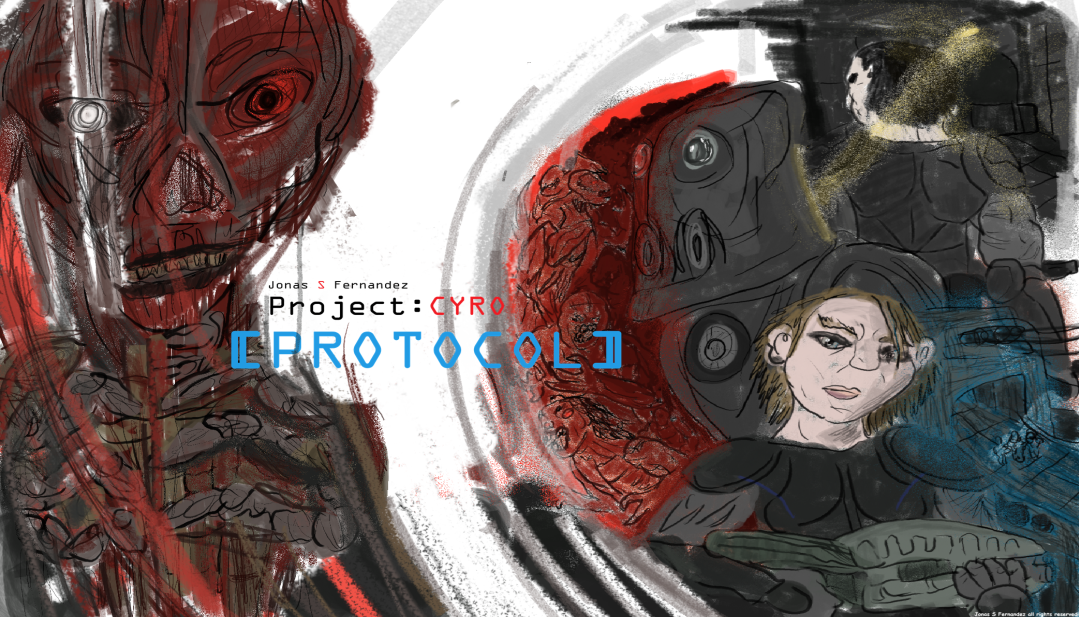
PROJECT:CYRO [Protocol] -Rulebook-
1. Character Sheet
Each mission sheet contains windows where you write your current stats and equipment:
• Class Choice
Choose one: Blood Ronin / Magick Knight / Mystic Trooper.
• Health Bar/Window
Write your current health. Restores each encounter.
• Meds Section
Write how many Meds you carry. Reduce the number when used.
• Money Section
Write your current currency.
• XP Section
Write your total XP.
• Equipment Section
Write your current weapons and armor stats.
• Damage Score (🖐 Hand icon)
Write your current weapon damage value.
• Protection Score (🛡 Shield icon)
Write your current armor protection value.
• Abilities
Each ability has 3 circles. Fill circles as you upgrade ranks.
2. GAME SETUP
. Starting Stats
When your first new character begin start with:
Health: Start with 2 Health → Write 2 in your Health Bar window.
Meds: Start with 1 Med Kit → Write 1 in your Meds Section.
Damage: Your default Damage Score is 0 → Write 0 in your Damage Score window.
Armor: You start with no armor → Write 0 in your Protection Score window.
Abilities: Your base abilities are available from the start. To upgrade them, you need XP (see XP chart on page 4).
3. First Combat Rolls
Even though your starting Damage Score is 0, you still roll your 6‑sided die during encounters.
Your roll becomes your temporary damage for that encounter:
Roll 1 → You deal 1 damage
Roll 6 → You deal 6 damage
And so on…
Once you get your first weapon upgrade, your Damage Score becomes 1, and future rolls add on top of that.
Example: Weapon Score 1 + Roll 4 = 5 total damage
Weapon & Armor Upgrade Rule
Upgrade Range: Levels 1–20 Maximum Level: 20 — items cannot be upgraded beyond this point.
4. Health & Death
Health
Health is tracked in the Health Bar.
Health fully restores at the start of each new encounter.
If you reach 0 HP, you are downed until revived or the encounter ends.
Death Penalty
If you die, choose one penalty:
Downgrade weapon OR armor by –1
OR lose 2 Meds
OR lose 5 money
OR lose 1 permanent max health (for the rest of the mission)
You restart from the square where you fell.
5. Meds
Meds heal lost health during encounters.
Meds do not increase max health.
Meds are stored in the Meds window.
When used, reduce the Med count.
Revival
If a player is downed (0 HP):
Another player may revive them using a Med Kit.
The reviving player must be:
On the same square, OR
On a square directly adjacent to the downed player.
Revival Result
The revived player returns to combat with 1 Health Point.
The Med Kit is consumed from the reviving player’s Meds Section.
6. Helping Each Other
Players may assist each other depending on abilities.
You do not need to be on the same square unless the ability requires it.
To give a Med:
Must be on an adjacent square
OR share the same square
7. Leveling
Save total XP in the XP Section.
Each encounter has a score.
You gain XP equal to the encounter’s score.
XP is spent to gain Skill Perks.
· Upgrades increase effectiveness.
Level
XP Required
Level 2
3 XP
Level 3
9 XP
Level 4
12 XP
Level 5
15 XP
Level 6
18 XP
Level 7
21 XP
Level 8
24 XP
Level 9
27 XP
Level 10
30 XP
Level 11
33 XP
Level 12
36 XP
Level 13
39 XP
Level 14
42 XP
Level 15
45 XP
Level 16
48 XP
Level 17
51 XP
Level 18
54 XP
Level 19
57 XP
Level 20
60 XP (MAX)
8. Ability Upgrades
Each ability has 3 ranks:
1 circle = Rank 1
2 circles = Rank 2
3 circles = Rank 3 (MAX)
9. Abilitets
-Magic-Knight-
Laser Beam Blast
Devastating blast shot that grows stronger with range. Rank 1: 3 attack score · Rank 2: 5 attack score · Rank 3: 10 attack score · (Instant ability, attack score does not stack with your other attacks)
Orb Shield
Activate the shield to add additional protection to your current threshold. Rank 1: +3 protection · Rank 2: +7 protection · Rank 3: +10 protection · (Instant ability, protection does not stack with other shield effects)
Ally Orb
Use the group shield to protect nearby allies (same square or connected adjacent square). Rank 1: +2 protection · Rank 2: +4 protection · Rank 3: +6 protection.
-Blood Ronin-
Blood Spill
Renew your weapon with your own blood, empowering it with additional damage. Rank 1: +2 damage · Rank 2: +4 damage · Rank 3: +6 damage.
Blood Healing
Sacrifice your own blood to heal nearby allies (must be on the same square or a connected adjacent square). Rank 1: Heals 1 life · Rank 2: Heals 2 life · Rank 3: Heals 3 life ·
Blood Orb
Pull all nearby encounters from connected adjacent squares and the square you stand on, dealing devastating damage. Rank 1: 3 damage · Rank 2: 6 damage · Rank 3: 9 damage · (Instant ability, damage does not stack with other effects)
-Mystic Trooper-
Roots
Spawn roots from the ground to stun your encounter, making them unable to roll dice.
Rank 1: Stuns 1 encounter for 1 round · Rank 2: Stuns 1 encounter for 2 rounds · Rank 3: Stuns nearby encounters for 2 rounds (same square or connected adjacent squares)
Roots Knives
Stun encounters faced by another player, with no distance limit.
Rank 1: Stuns any 1 encounter for 1 round · Rank 2: Stuns 2 encounters for 1 round · Rank 3: Stuns 3 encounters for 1 round.
Root Guardian
Spawn a guardian from the earth to face encounters at your side. The guardian can either add additional damage to your current score or add additional protection. Encounters will roll dice against your guardian first. If the guardian is defeated, you do not lose the encounter.
Rank 1: Guardian adds +2 d or +2 p Rank 2: Guardian adds +4 d or +4 p Rank 3: Guardian adds +6 d or +6 p.
10. Money & Equipment
Replacing a weapon or armor converts the old item’s value into money.
Money is used between missions to buy:
Weapons
Armor
Meds
11. The Hub Section
At the hub you may:
Buy Meds
Upgrade weapons
Upgrade armor
Upgrade cost works like this for example if you have weapon score as in damage 5 then the next upgrade cost is 6 in money.
You may sell Meds for money. You cannot sell weapons or armor.
12. Movement Rules
Movement Dice
At the start of each turn, roll 1d6.
The number rolled = how many squares you may move.
Movement Direction
Move forward OR backward.
Only one direction per turn.
Cannot switch direction mid‑turn.
Path Rules
Move only onto connected squares.
No diagonal movement.
No skipping squares.
Tracking Position
When you enter a square, cross it with your pen.
This marks your current location.
13. Square Types
Brown Square — Loot
Roll 1d6:
1–2: Weapon upgrade (+1 Damage)
3–4: Armor upgrade (+1 Protection)
5–6: Med Kit (+1 Med)
Red Square — Encounter
Roll 1d6:
The number rolled = the encounter you face.
After defeating the encounter:
Roll again.
If you roll 1, 4, or 6 → roll the loot table.
White Square — Empty
Nothing happens.
Cross the square to mark your position.
14. Combat
Player Attack
Player rolls based on their Damage Score.
Encounter Attack
Encounter rolls based on its single score.
Armor Threshold
Your Protection Score is your damage threshold.
Example:
Encounter rolls a total of 7
Your armor is 7
The encounter cannot damage you, because it did not exceed your threshold.
Grenade
Rolling a 6 — Grenade Option
If the player rolls a 6, they may choose to throw a grenade instead of using that die for damage.
Standard Grenade
Deals 5 damage to the encounter.
Creates area concussion:
Any enemies standing on connected squares near your square become disrupted.
Disrupted enemies cannot use the number 6 on their next turn.
Mystic Trooper — Magic Grenade Option
If you are a Mystic Trooper, you may choose between:
Standard Grenade
(5 damage + concussion effect)
OR
Magic Root Grenade
Blinds the encounter.
Also blinds enemies on connected squares.
Blinded enemies cannot roll any dice on their next turn (only once).
Perfect for controlling multiple foes or shutting down dangerous encounters.
Use Ability In Combat
· Before rolling your dice, you may choose one witch ability or class ability to activate. This ability applies to your entire combat roll and can modify damage, defense, or special effects depending on your class.
15. Winning Combat
Both sides roll 6 dice.
The winner is the one with the higher total damage score.
Armor only prevents damage — it does not determine who wins the fight.
16. Encounter Sheet Layout
When you enter a Red Square, roll 1d6 to determine which encounter you face.
Each encounter on the Encounter Sheet is associated with a specific dice result and is marked with a dice icon. However, because the Encounter Sheet is designed with artwork and visual presentation in mind, it may not always be immediately obvious which encounter belongs to which dice result.
To help identify encounters, use the following rule of thumb:
The encounter furthest to the left represents a roll of 1.
Moving across the sheet from left to right, each encounter increases by one dice result.
The encounter furthest to the right, just before the large objective image, represents a roll of 6.
If it is unclear at a glance which encounter matches your roll, simply follow the encounter order from left to right.
The large image at the end of the Encounter Sheet is the Mission Objective. Once this objective is defeated or completed, the mission immediately ends and is considered successfully completed.
Example: If you roll a 4 and cannot immediately tell which encounter belongs to that result, count from left to right: 1, 2, 3, 4. The fourth encounter is the one you face.
17. Mission Structure
Start on the Start Icon
Move through squares
Resolve square effects
Reach the Objective Icon
Complete the mission
Receive mission rewards
18. Mission Rewards
You receive one guaranteed reward:
Weapon upgrade
Armor upgrade
OR 2 Med Kits
Plus XP based on objective score and final encounter score.
19. CO‑OP RULES
Class Selection
Players may only choose one of the classes on the sheet.
If you print separate sheets, players may choose the same class.
Turn Order
Turns go clockwise.
Sharing Squares
Players may stand on the same square.
Players may follow the same path together.
Independent Rolls
Each player rolls their own movement die.
If players share the same square:
Both roll loot
Both roll encounters
Each resolves their own result
20. Cross‑Game Progression
Your character can transfer between:
Project:CYRO [Protocol]
Project:CYRO [Legends]
You keep:
Stats (Level)
Class
Money
Equipment
XP
You may swap your character in and out between games at any time.
Each game has different mechanics, but your character continues.